
Know whose fault it was.
When something breaks, the first hour goes on one question: is it us, the provider, or the chain? The router sees all three at once. It scores every provider on every request, tracks the newest block on every chain, and sees your traffic as it arrives. It moves your traffic away from the problem in seconds. Then we analyze it within minutes and tell you the cause, with evidence: which chain, which provider, which methods, when it started, and what we did about it. It works across our providers, yours, or both.
How an incident plays out
Example.
- Evening, day 1
Provider B starts falling behind the chain. Its node still reports that it is in sync, so nothing looks down.
- On detection
The router sees Provider B's newest block stop keeping up. It stops sending Provider B reads that need current data and moves them to Provider A. No one is paged.
- Overnight
Requests keep being answered by Provider A.
- 07:22 UTC, day 2
Our engineer confirms whose fault it is: the provider's, not the customer's code and not the chain.
How we knew it was the provider- Both of Provider B's endpoints returned the same block, so one node was behind them.
- The node said it was healthy: apparently in sync.
- Its block hashes matched the real chain, so it was behind, not on a different fork.
- Provider A's newest block kept moving, checked against two public endpoints.
- 08:19 UTC
Provider B is behind the chain. We send the customer the block numbers and the node's software version, ready for their ticket with the provider. They had not noticed anything.
- Day 2, evening
Still behind the chain. Traffic is still on Provider A. The router will put Provider B back on its own once it catches up and passes its checks.
This needs a second healthy provider on that chain.
Errors in plain words, with who caused them
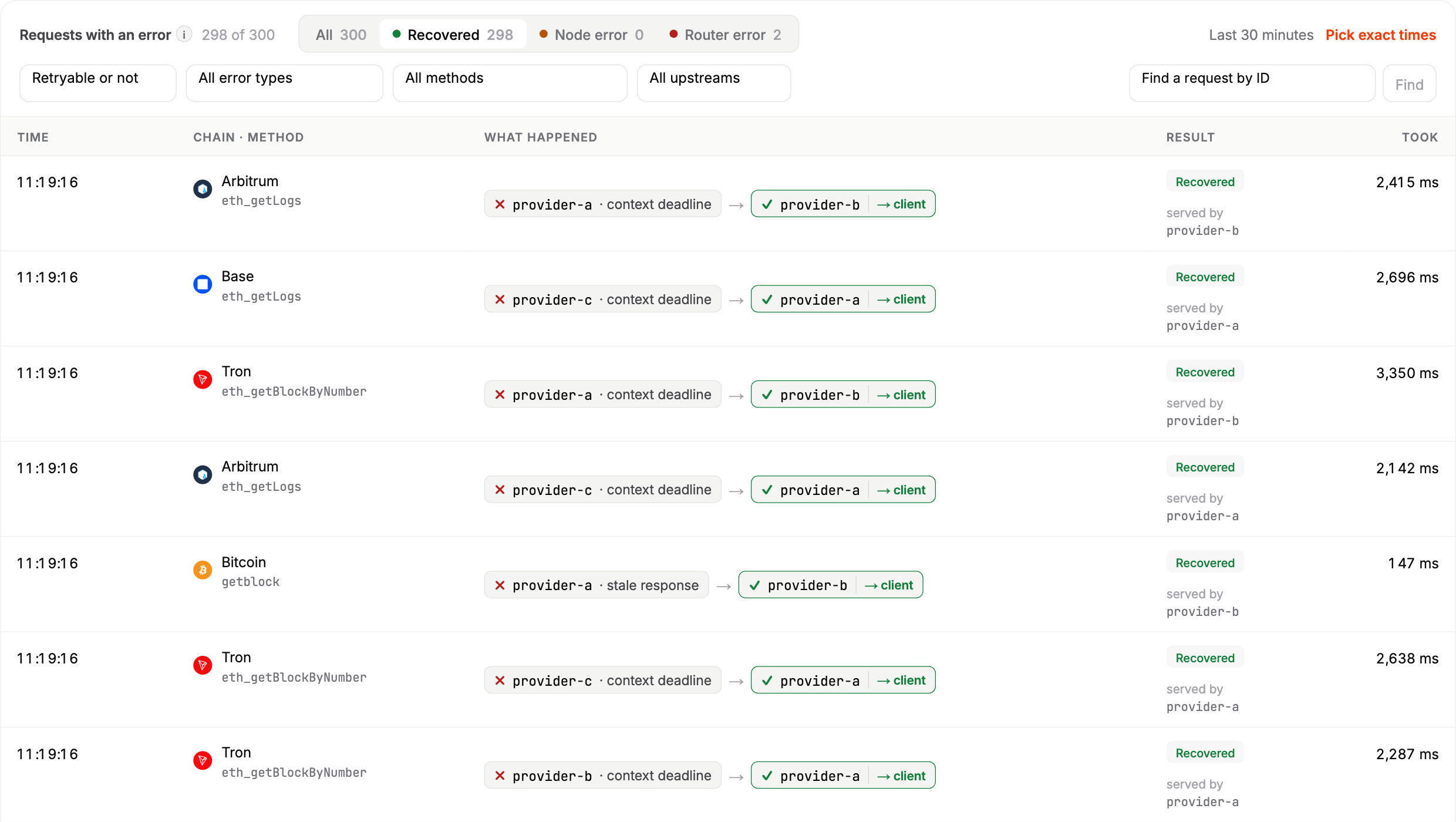
What you see in the dashboard
- Every failed request, attempt by attempt: which provider, its own error message, and whether the router recovered it.
- Errors sorted by who caused them: your request, the contract, or the provider.
- Provider health history: errors, speed and how far behind, on one time line, so you can see a provider getting worse before it fails.
What runs on its own, and what waits for you
- Pulls a provider out of rotation.
- Moves traffic to healthy providers.
- Retries failed answers.
- Tests a provider before it gets traffic again.
- Changing your provider list or settings.
- Opening a ticket with the provider.
- Anything that changes how your transactions are sent.